Home / Insta360 X5 / Settings
X5 settings for cycling: four lines, then go ride
 By Jack, Jack's Coaching
Updated 8 November 2026
Melbourne, Australia
Buy buttons go to the Insta360 store for the X5, the camera I film on. I earn a commission if you buy, at no extra cost to you. Insta360 didn't see this before it went up. Specs and lab tests are from the reviewers I name. I have not used the X6 or a GoPro Max 2.
I hardly touch the menu. Daytime on the X5 is 8K, wind reduction on, and I pick the angle on the couch. The one time I change it is riding into the sun. Then I drop to 5.7K so HDR will actually switch on. Insta360 turns HDR off in the top modes, which is the annoying bit.
- Nice day: 8K30. AdaptiveTone on. Colour on Standard.
- Sun in your eyes: 5.7K30, Active HDR on.
- Dusk, or under trees: PureVideo, still at 8K30.
- Wind reduction on strong. Point the screen away from you, so the mics face you.
8K is the bubble, not the clip
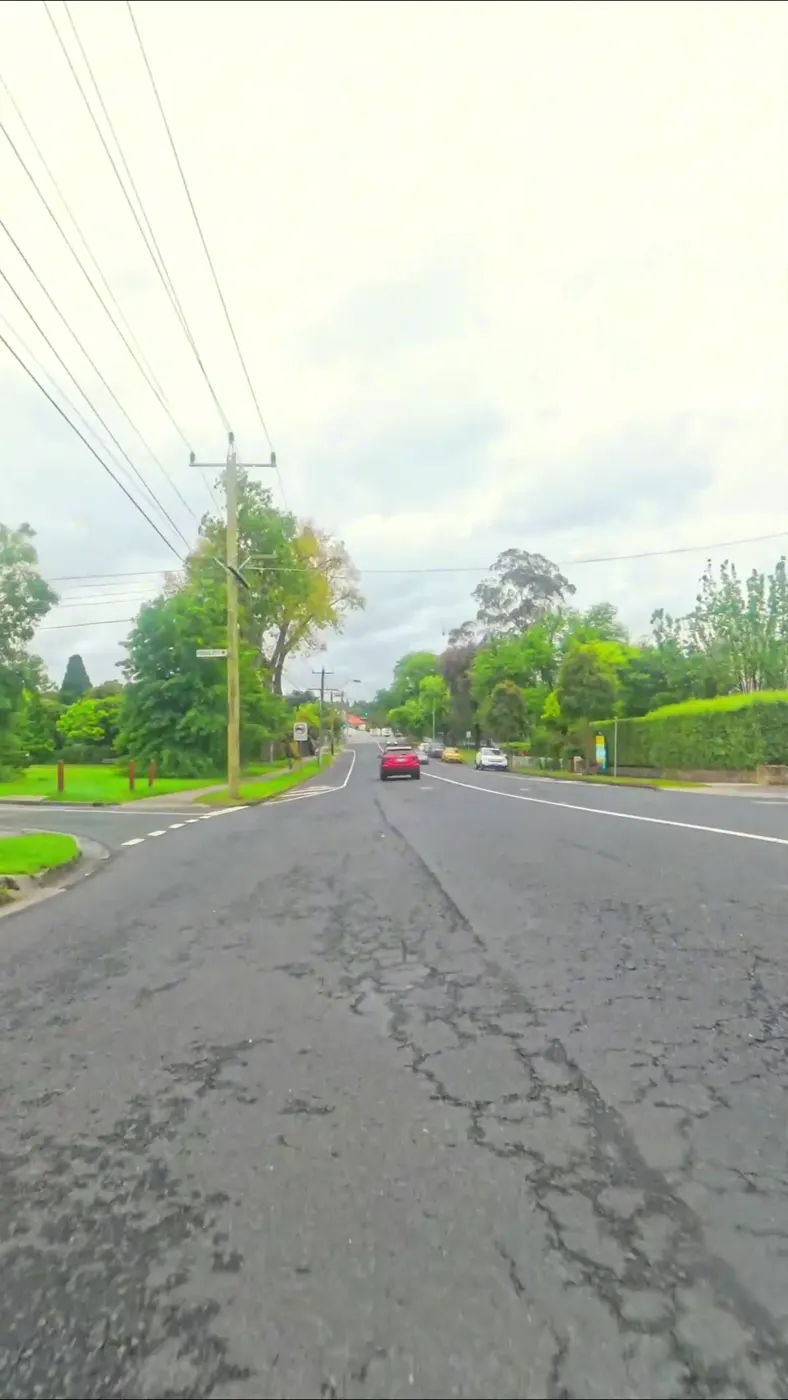
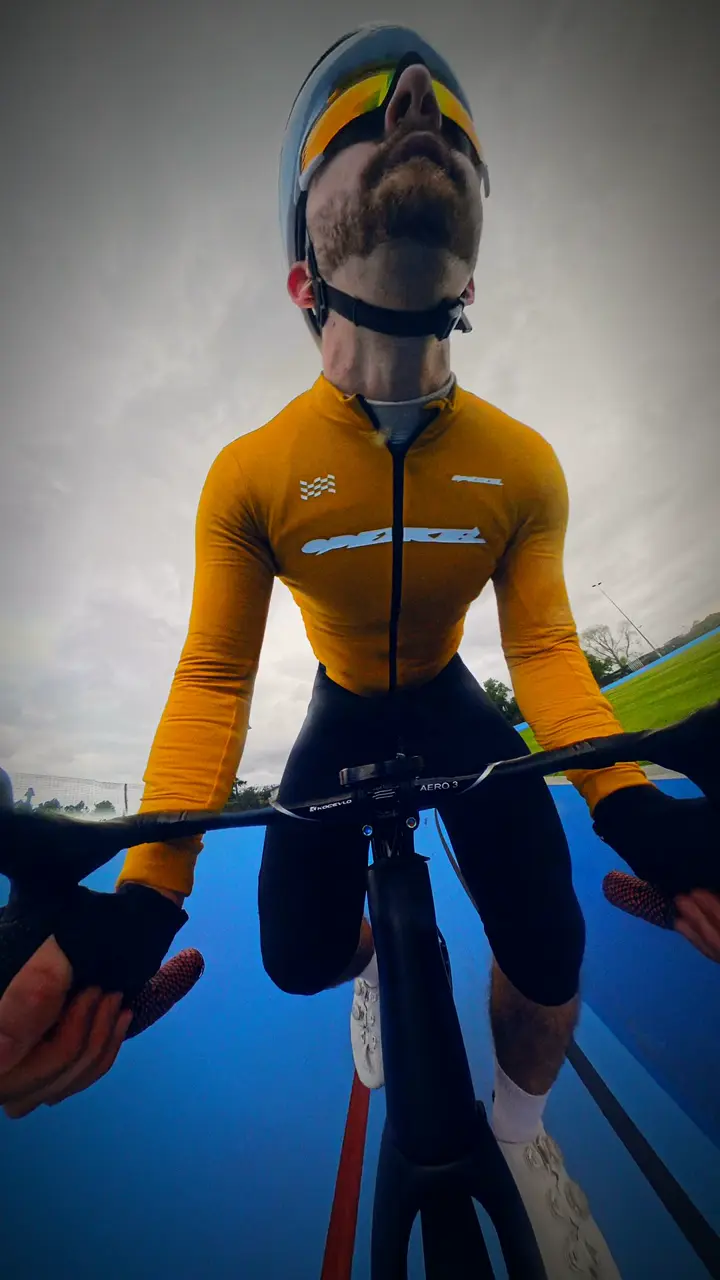
I got home, opened the file, and the picture of my face was nowhere near 8K. Took a minute to click. 8K is everything around the camera. YouTube gets a window cut out of that.
Crop in on a rider and you want the big file. Leave it wide and road.cc found 1440p was as far as a flat export needed to go. When they cropped an 8K source, a 4K export was about worth the extra size. Insta360's manual says export at 4K, bitrate 50. I do that when I'm cropping into someone. A loose shot of the road, I export 1440p and go and eat.
| The ride | What I would set |
|---|---|
| Daylight | 8K30, AdaptiveTone, Standard colour. Sharpness medium or low. Bitrate High if it's the clip you care about |
| Into the sun | 5.7K30 and Active HDR. HDR is switched off at 8K and at 5.7K+. road.cc lived here |
| Dusk or trees | PureVideo, 8K30. My clips are still happier in good light |
| A sprint you want to slow down | 5.7K60, or 4K120 if the light is good. That's from their tips guide, not a test I ran |
| You don't want to edit | InstaFrame, Fixed View, facing forward. You get a 1080p video straight away, and the 360 file is still there |
Why it looks like the camera is bolted to the road
FlowState stays on. I never think about it. On a normal action cam, stabilisation has to crop the edges to hide the shake. This thing already filmed the edges, so there's nothing to give up. road.cc's reviewer left it on for that reason and I can't see a reason to turn it off either.
Horizon lock is the other quiet one. Swing the camera from the bars down to the wheel and the sky stays at the top. The clips just come out level. A long floppy stick still bounces, and no setting deletes that. That's a mount problem.
Wind, and which way the screen faces
Wind reduction on strong. Leave the little mesh guard on. road.cc got audio they could use at speed, and into a headwind, a bit better with the mics pointing at the rider. On this camera that means the screen faces away from you. Doesn't matter. You're framing it later.
If you want to talk to the camera and have it sound like a podcast, add a Bluetooth mic. road.cc likes the Mic Air. I don't use one. The built-in sound is good enough for the rides I post. I wouldn't record an interview on it.
The edit is the couch
One ride, two clips. A vertical one takes about a minute in the app. The phone starts to complain once the files get long, so road.cc moved the long edits onto a computer. There's an auto-edit that cuts a template for you. I've handed it a ride. I take it back.
If you want to skip the couch, InstaFrame writes two files at once. A normal video, up to 1080p, and the 360 file next to it. Point Fixed View forward and leave it. In the app, Forward View is one tap and Selfie View is the other. Insta360 points cyclists at Forward View. I still pull the selfie myself. That's the clip I came home for.
Two switches that help the battery more than the picture, from Insta360's own heat page: AI Highlights off, and don't sit in the phone app in the sun watching the preview. More on that in the battery guide.
The card
V30 or faster, exFAT, up to 1 TB. The camera's top bitrate is 180 Mbps. My maths on that is about 80 GB an hour, so a 256 GB card is roughly three hours if you never stop recording. You will fill it faster than you think if you film the whole bunch ride. I hit record for the bit I'm going to post.
Insta360 X5 cycling settings FAQ
What are the best Insta360 X5 settings for cycling?
8K30 in daylight, 5.7K30 with Active HDR into the sun, PureVideo when it gets dark, wind reduction on. Export 4K if you will crop.
Is 8K actually 8K?
8K is the whole sphere. The flat clip is a window. Wide shots look fine at 1440p. Crop in, and a 4K export from the 8K file is worth it.
How do you get stable footage?
Leave FlowState and horizon lock on. A short, stiff mount matters more. Stabilisation cannot fix a floppy stick.
Can you skip reframing?
Yes. InstaFrame Fixed View, or one-tap Forward View. You also keep the 360 file if you change your mind.
8K, wind reduction, out the front
That's the setup behind the clips in the X5 review. The rest of the menu can wait until a ride actually annoys you.
Sources
- Insta360 manual: recommended settings: daylight, backlit, low light, 4K export at bitrate 50.
- Insta360: best settings guide: colour profile, sharpness, bitrate, HDR limits, InstaFrame, Forward View for cycling, slow motion.
- road.cc: X5 review: 5.7K with HDR, 1440p exports, FlowState, horizon lock, wind, Mic Air, phone storage.
- Insta360: X5 specs: 180 Mbps max bitrate.
- Insta360: overheating guide: 5.7K30 when it is getting hot, and don't preview in the app in direct sun.